
Fantasy World Manager UI scaling: big fonts, hidden text
The game has separate UI and font scaling in the top-left settings menu, but large font sizes can push tutorial text off-screen. What players found.
Table of Contents
Fantasy World Manager treats UI scaling and font scaling as two separate settings, and both live in the settings menu in the top-left corner of the screen — a menu you can open while the tutorial is running. That detail matters, because the most common scaling complaint is not that the options are missing, but that turning the font up makes tutorial text spill out of its panel until the instructions you need are no longer visible.
What the two sliders actually do
Scaling is split into a UI size control and a font size control, so you can enlarge interface elements without enlarging text, or the other way around. Players quickly discovered that the combination is where things go wrong: one thread described the interaction between UI scaling and font scaling as "a mess," and asked for a scrollable text container or a layout that keeps its proportions. Those were requests, not features — the thread does not show them being added.
The practical consequence is simple. If your goal is readability on a large screen, raising both values at once is the riskiest combination, because the text grows inside a panel whose usable area grows more slowly.
The tutorial overflow problem
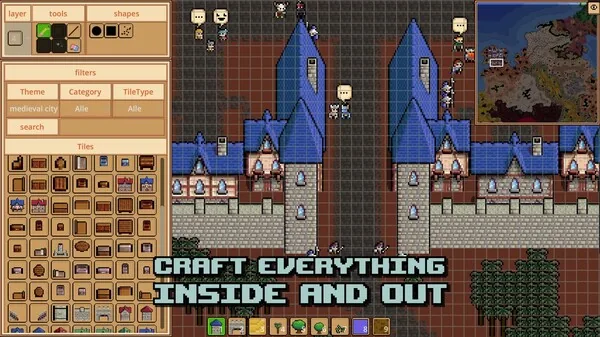
A player reported that with the font size increased, the tutorial's requirement text became impossible to see, and they gave up after a few minutes. They also recalled the game being locked to something around 1280 pixels wide, though they said they could not remember the exact figure — treat that as a rough player estimate rather than a specification.
The developer replied in the same thread, thanked them for the report, said it will be fixed, and offered a workaround: change the UI and font scaling from inside the tutorial, using the settings menu at the top left. A later reply from the developer said the next update should fix it and that it was "almost ready."
That exchange ran from 22 June to 5 July 2026, during the demo period. The Early Access launch followed on 28 October 2026 according to the official Steam page. The Steam discussion thread ends before that launch, so it does not describe how scaling behaves in the launch build.
What to try if text is cut off
The following is a reasonable order of attempts based on what the developer and players described, not a verified step-by-step fix:
- Open the settings menu at the top left — you can do this from inside the tutorial rather than quitting to a main menu.
- Lower font scaling first, before touching UI scaling. The overflow reports are about text outgrowing its panel, so the font value is the one doing the damage.
- Adjust one value at a time and check the tutorial text after each change, rather than moving both sliders together.
- If the options seem to have little effect, the window size may be the real limit. The player who reported the issue believed the game was running at a fixed width near 1280 pixels; if that matches your setup, a larger game window or a different display mode is worth testing.
If the tutorial text still clips after lowering the font size, that is the condition the developer acknowledged as a bug rather than a settings mistake, and the thread offers no further player-side fix.
Related fixes
Scaling problems are separate from startup failures. If the demo does not reach a menu at all, see Fantasy World Manager demo crash on startup instead.
FAQ
Where do I change Fantasy World Manager UI scaling?
In the settings menu at the top left of the screen, which the developer confirmed can be opened during the tutorial. UI scaling and font scaling are adjusted separately there.
Why does a bigger font hide the tutorial text?
Because the tutorial text grows inside a fixed panel, so at larger font sizes the content extends past the visible area and the requirements become unreadable. Players reported this happening even while cycling through different font and UI size combinations.
Can I fix it without waiting for a patch?
The developer's suggested workaround was to reduce the UI and font scaling values from inside the tutorial via the top-left settings menu. Whether that fully resolves it depends on how far the text overflows in your window size.
Was the tutorial overflow ever fixed?
The developer said it would be fixed and that the next update was almost ready, as of the June–July 2026 discussion. That thread predates the 28 October 2026 Early Access launch and does not cover the launch build.
Related guides for this game
Fixes Guides Index
Fantasy World Manager Demo Crash on Startup: What to Try
The demo can stall on the Godot splash screen with a .NET symbol error. Here's what one player's log shows and which fixes the developer has suggested.
Access Guides Index
Fantasy World Manager Demo: What Was Available
The demo launched before Steam Next Fest in June 2026 with locked editors; the official Steam page did not list a demo download as of 24 October 2026.
Fantasy World Manager Download: Where to Get It
Fantasy World Manager isn't downloadable as a full game yet — the Steam page lists Oct 28, 2026 for Early Access. Where to get it, price, and demo status.
Fantasy World Manager Playtest: The Demo Before Launch
No separate playtest sign-up: players tried Fantasy World Manager through the free June 2026 Steam demo ahead of the Oct 28, 2026 Early Access launch.
Community Guides Index
Fantasy World Manager Discord: Finding the Invite
Where the Fantasy World Manager Discord invite is posted, what the server is used for, and what players have done when the link stopped working.
Fantasy World Manager Reddit: Steam Community Answers
A practical roundup of player questions and developer answers for Fantasy World Manager, drawn from its Steam Community hub.