
Fantasy World Manager How to Spawn Humans in the Demo
In the June 2026 demo, humans are authored as a race and then placed with zone spawn settings — the working order, and what to check when they never appear.
Table of Contents
Getting humans into a Fantasy World Manager world takes two separate pieces of setup, in this order: create a human race in the race editor, then add a spawn entry for them in the zone where you want them to live. The Beginner World Setup Guide is blunt about the split — defining a creature and configuring its presence in a zone are two different jobs — and that is why players who finish one half often stare at an empty map.
A demo tutorial playthrough on YouTube shows the first half in detail: the race editor is where a player types "Human", writes a short description, picks a symbol, and sets the stat modifiers. The playthrough stops before placing anyone on the map, so the placement step below follows the same zone spawn workflow the wiki documents for other creatures rather than a human-only demonstration.
What you need first
- Land painted in the exterior editor. Zones, points of interest and spawns all need ground to exist on.
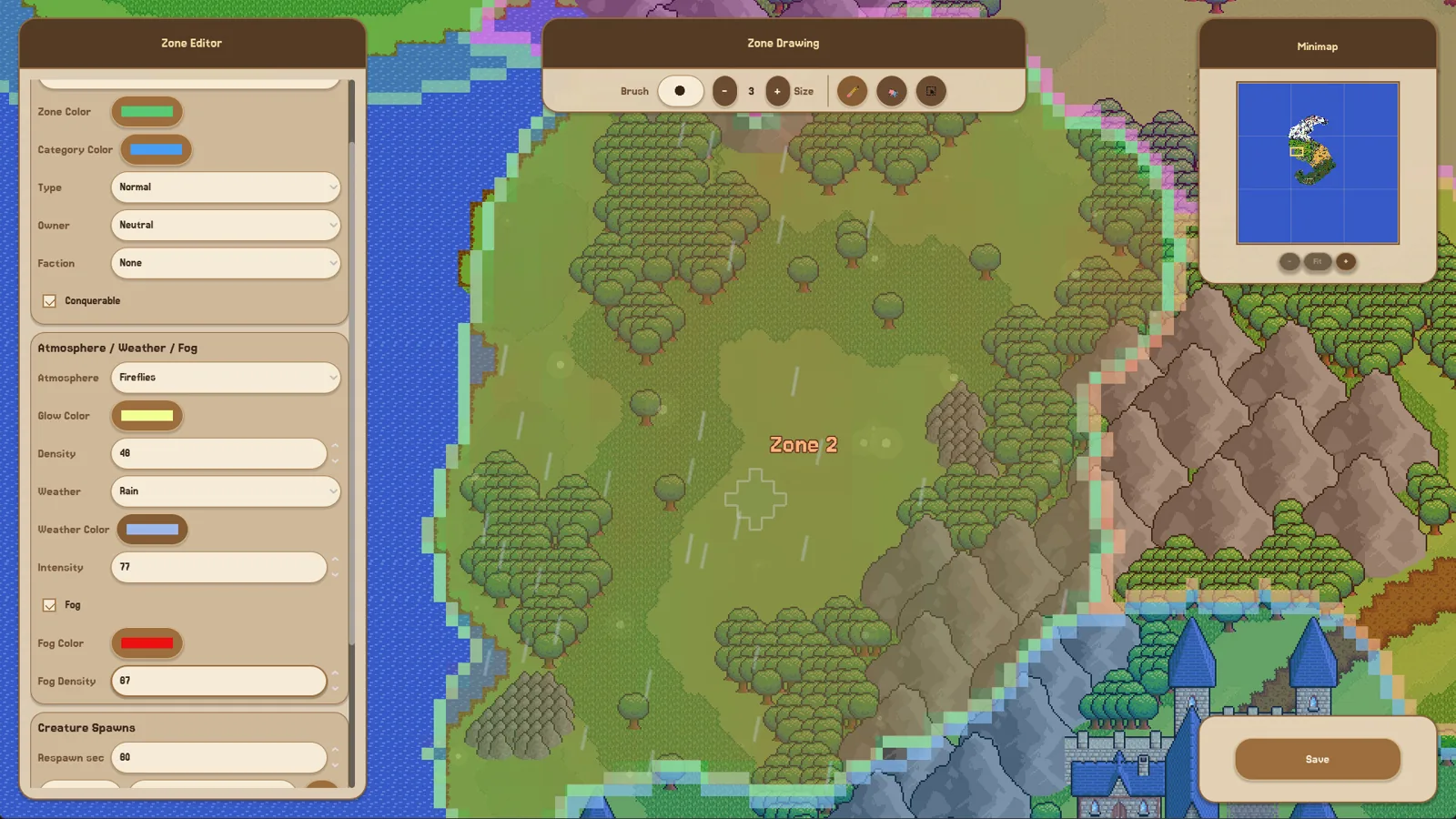
- A zone you control, with its type set (normal or city) and an owner chosen — neutral or a faction.
- Patience for the tutorial chain, which runs resources → equipment → points of interest → drops → NPCs → factions → city zones → farm zones → creature spawns. Its intro message estimates about 30 minutes, and you can reopen the guidebook inside any editor with F1.
Step 1: Create the human race
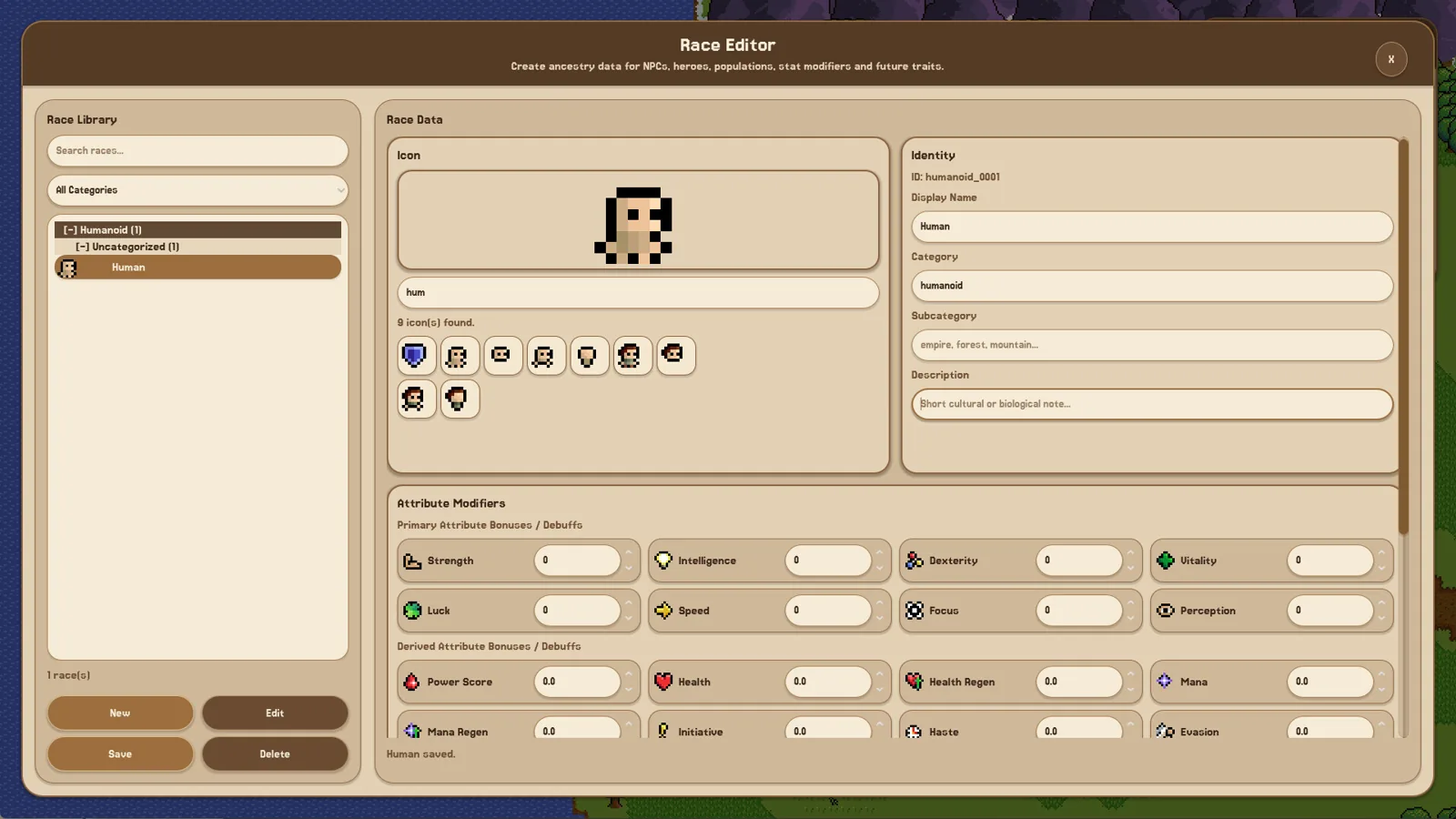
Open the race editor and fill in the identity fields: race name, subcategory, a short description, and a symbol. Races carry the biological baseline your population inherits — age ranges, lifespans and base stats — so give humans at least one stat modifier before saving. The demo playthrough treats "at least one race stat modifier" as a required step and notes that trait editing was locked in the demo build.
If you plan several peoples, name them plainly while you learn the editors; a "Human" entry you recognise across unfamiliar panels beats three elaborate names you cannot tell apart.
Step 2: Give them a culture and a religion
Race, culture and religion are three separate definitions, and all three feed the simulation. Culture adds social identity and stat bonuses to factions and populations; religion has its own editor. For a first world, one simple culture tied to your human faction is enough — you can add more once you can see characters actually doing something.
Step 3: Create the creature or NPC definition
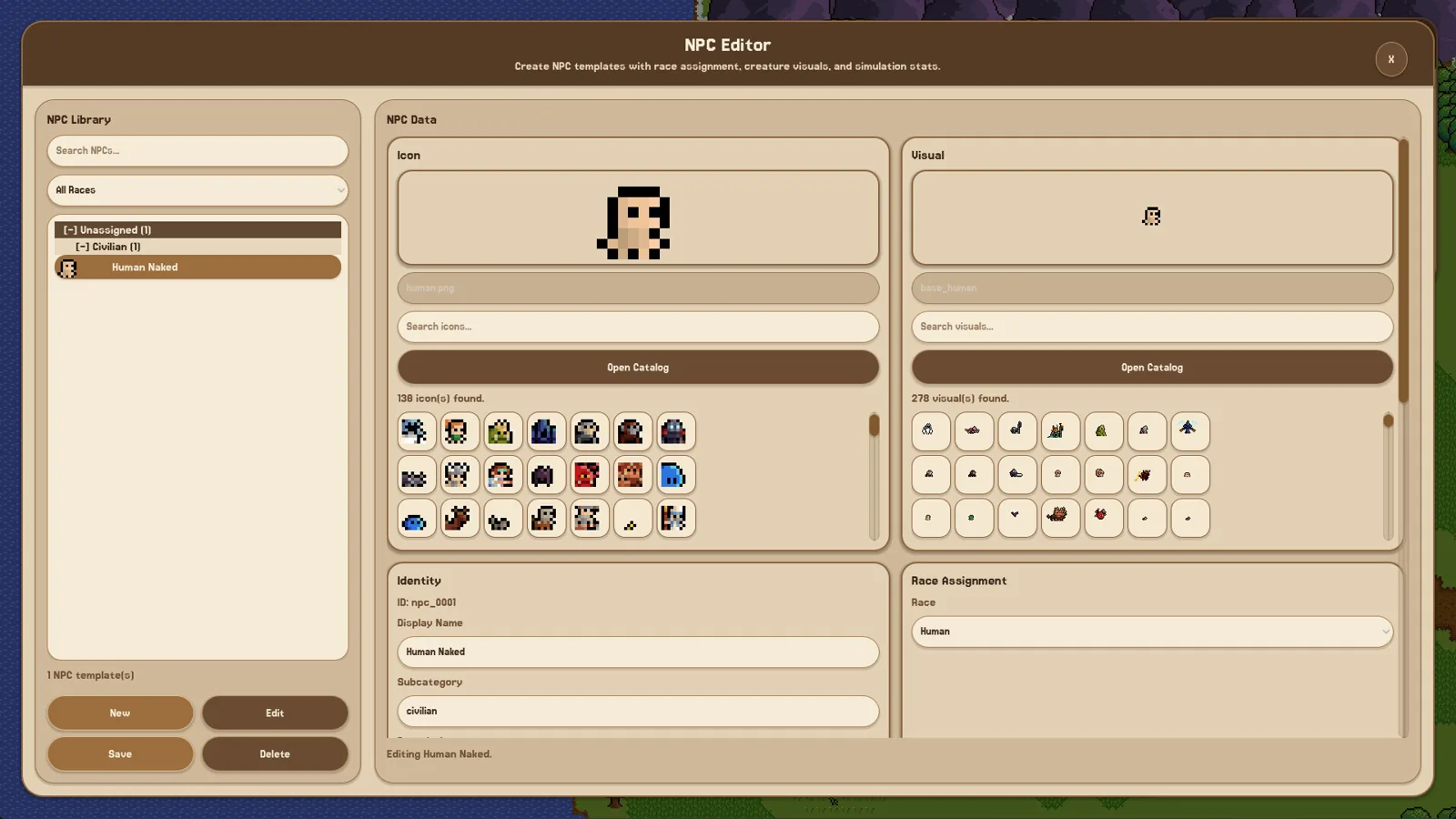
Before anything can spawn, the thing itself has to exist. An empty creature list in a zone means exactly that: no creature definition has been made yet. In the creature editor you set the icon and world appearance, temperament and behaviour, a flee threshold, and a maximum number of loot rolls. A reply from the developer in the Steam discussion thread adds the useful link for this question — the creature editor is also where you decide which species a created creature belongs to, which is how your human race gets attached to something placeable.
Step 4: Add the spawn entry in the zone
Go back to the zone, open its creature-spawn settings, and add the entry for the creature you just made. This is the step that turns a definition into bodies on the map. The zone editor also carries the owner setting and a conquerable option, both of which matter later when factions start competing over ground.
How to tell it worked
Your spawn entry appears in the zone's list, and characters are visible on the map in that zone. Click one — the demo's inspection panels let you pick out heroes, animals, monsters, civilians and soldiers — and confirm the species matches what you authored. Check carefully: the wiki notes that spawned creatures in the demo can be small enough to overlook.
| Symptom | First thing to check |
|---|---|
| The creature or spawn list is empty | You have not created the definition yet; make it in the creature editor, then return to the zone |
| The entry exists but the map looks bare | Look again at the zone's ground and the map itself — demo sprites are small |
| Humans exist but seem idle | Zones need activities such as farming, hunting or fighting to give characters something to pursue |
Timing and version notes
These steps describe the demo builds documented in June 2026, and the wiki's own guide warns that later builds may change editor options, tutorial requirements and simulation behaviour. As of 2026-10-24, the Steam store page lists the Early Access release as 28 October 2026, so expect the editors to keep shifting. Population growth itself was still experimental during the demo — one patch adjusted it and a later one improved its balance — so do not read a slow trickle of new arrivals as a broken spawn entry.
FAQ
How do you spawn humans in Fantasy World Manager?
Author a human race in the race editor, create a creature/NPC definition tied to that species in the creature editor, then add a spawn entry for it in the zone's creature-spawn settings. Defining and placing are separate steps, and both are required.
Why is my creature or spawn list empty?
Because no definition exists yet. Create the creature first, save it, then return to the zone and configure its spawn entry — the zone will not offer something the creature editor has never produced.
Can I skip the manual race creation with a template?
Partly. A prefab system arrived in the June 2026 patch, shipping with a default prefab you can toggle during world creation, and Steam Workshop support for worlds, prefabs and custom sprites was announced for the Early Access launch. Templates reduce typing; they do not remove the need to attach a species and a zone spawn entry.
Will the humans I place build their own town?
Not in the early demo described by the developer. Buildings do not construct themselves — you place the structures, while households, relationships and children are simulated inside them. Plan your settlement around what you are willing to lay out yourself.
Related guides for this game
Guide Guides Index
Fantasy World Manager Game Speed: Demo Settings
How time and speed work in the Fantasy World Manager demo: the x1 to x5 time modifiers, how long an in-game year takes at x5, and why the sim feels slow.
Fantasy World Manager how to build houses: POI & Prefab Tips
Houses in Fantasy World Manager are placed as building POIs with footprints and entry markers, then filled by simulated residents; prefabs speed it up.
Fantasy World Manager How to Import and Export Prefabs
How the prefab system works: import/export editor content, the default world prefab, and Workshop sharing planned for Early Access.
Fantasy World Manager guide: Early Access first steps
A practical Fantasy World Manager guide for the Early Access launch: what to build first, where to start, and what the simulation needs from your world.
Access Guides Index
Fantasy World Manager Playtest: The Demo Before Launch
No separate playtest sign-up: players tried Fantasy World Manager through the free June 2026 Steam demo ahead of the Oct 28, 2026 Early Access launch.
Fantasy World Manager Demo: What Was Available
The demo launched before Steam Next Fest in June 2026 with locked editors; the official Steam page did not list a demo download as of 24 October 2026.